Shutter-timed exposure synthesis
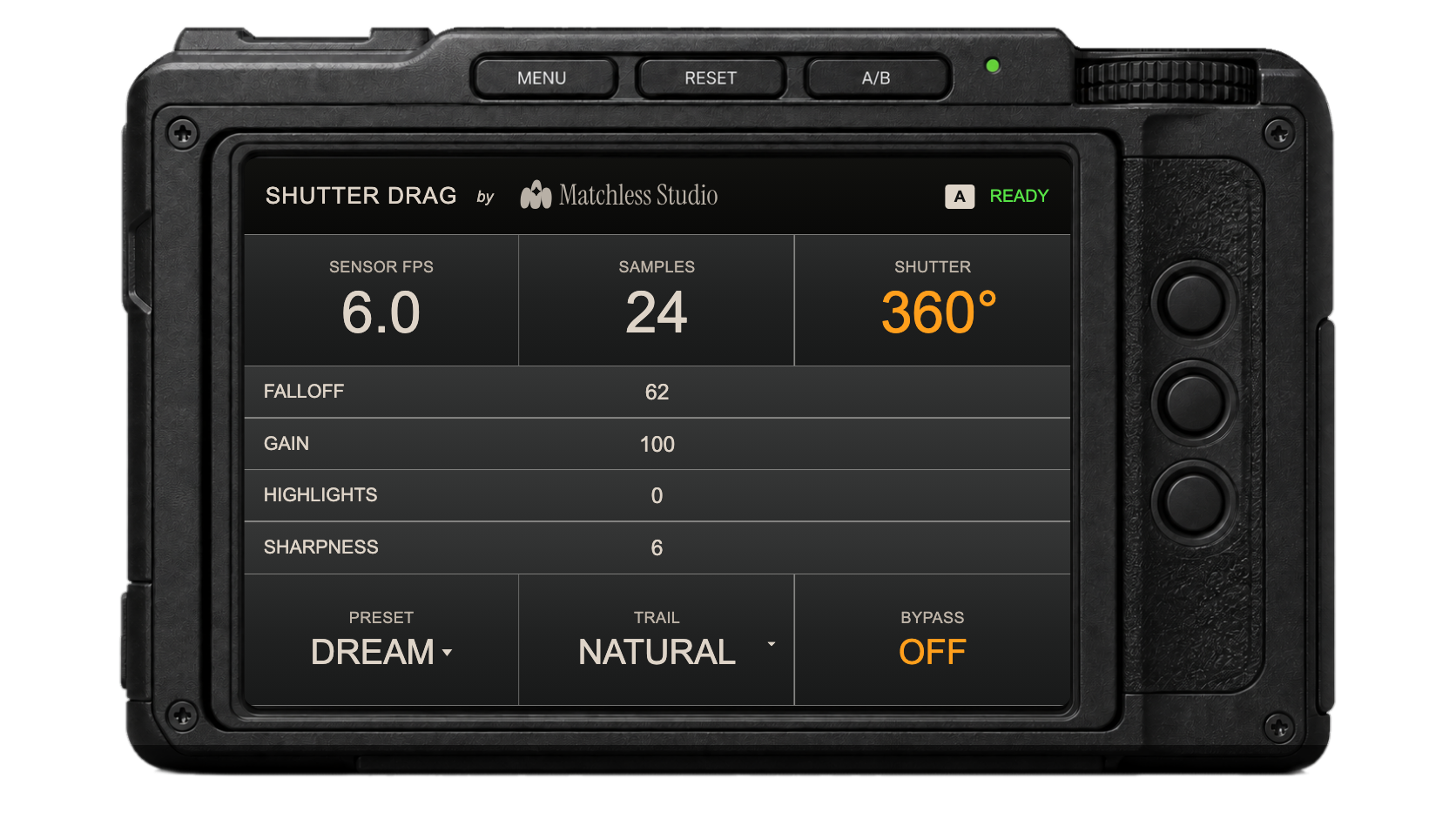
Sensor FPS and shutter angle define the exposure window. The engine samples that interval to create the cadence of footage shot at a slower frame rate.
 ← All plugins
Since 2009, Matchless Studio has worked across motion graphics, animation, and video editing. That experience now drives focused plugins for animators and editors shaping what comes next.
First from Matchless Studio
Neural step-printing and slow-shutter motion from any footage. Shutter Drag recreates true step-printing from normally captured footage, combining neural motion reconstruction with virtual long-shutter exposure.
 After Effects
 Premiere Pro
 DaVinci Resolve
 Final Cut Pro
 Motion
Far beyond frame echoes
Echo effects repeat completed frames. Conventional forced-blur workflows soften or average those repeats afterward. Shutter Drag instead rebuilds a virtual exposure from the motion between frames.
Sensor FPS and shutter angle define the exposure window. The engine samples that interval to create the cadence of footage shot at a slower frame rate.
Adjacent frames are compared for motion, light changes, and confidence. The engine decides what moves, what stays still, and where each detail belongs between frames.
Pixels move through in-between positions and combine as new exposures. This avoids Echo's stacked duplicates and the uniform streaks of vector blur.
Falloff, highlights, gain, sharpness, and trail settings shape the final exposure. The current frame stays clear while light and motion fade naturally.
Echo repeats time.Vector blur stretches time.Shutter Drag reconstructs the exposure.
Each comparison pairs the original footage on the left with Shutter Drag on the right.
